How Much Do WhatsApp Appointment Reminder Tools Cost in 2026
Your no-show rate is quietly eating your calendar and your revenue. Every missed appointment costs a slot another client could have filled, and manual reminder calls only reach so far. Automated WhatsApp reminders fix this, but the pricing across tools is scattered and hard to compare.
This article breaks down what WhatsApp appointment reminder tools cost in 2026, what pushes your monthly bill up or down, and how Com.bot's Silver, Gold, and Platinum plans are structured. By the end, you will know which pricing model fits your volume and whether Com.bot earns its place in your stack.
What Is Com.bot? The Platform Behind WhatsApp Appointment Reminders
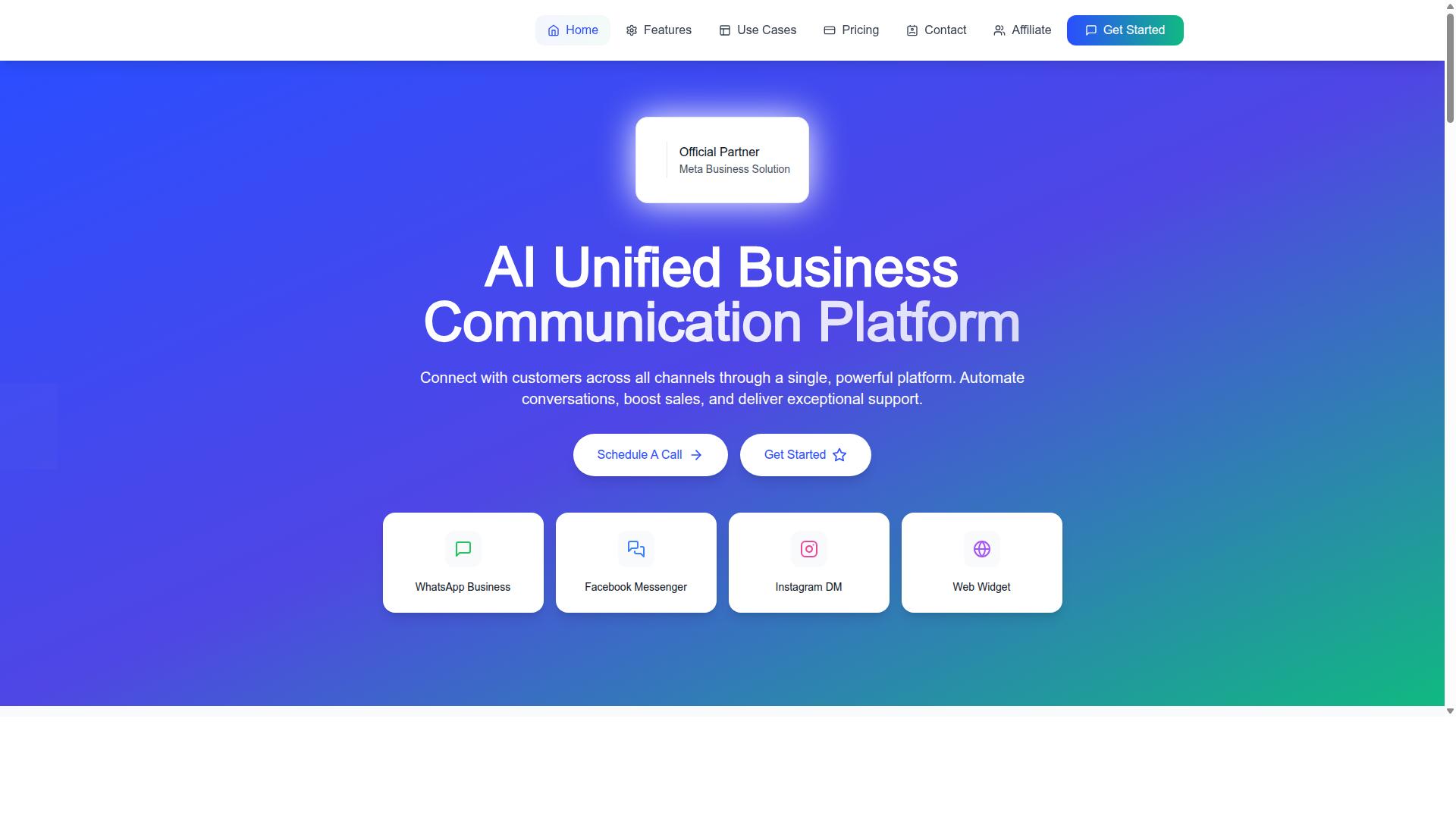
Com.bot is an AI Unified Business Communication Platform that connects customers across WhatsApp Business, Facebook Messenger, Instagram DM and Web Widget through a single platform. Instead of juggling separate apps for each channel, teams work from one place. That single view matters for appointment-driven businesses, where a missed message often means a missed booking.
The platform is built for conversation automation, sales growth and dependable customer support. For clinics, salons, consultants and other appointment-based businesses, those three jobs overlap constantly. A reminder is a support message, a sales touchpoint and a scheduling task at the same time.
Com.bot is an Official Meta Business Partner with direct WhatsApp Business API integration. That partnership status is the foundation for everything the platform does on WhatsApp. It also explains why the tool can support the kind of automated appointment reminders this article focuses on.
Com.bot is owned and managed by Com Bot AI Limited and serves 23,000+ active customers globally. That scale spans many industries and regions, which is relevant when you evaluate how a reminder tool fits real business workflows in 2026.
Here is what the platform brings together:
- WhatsApp Business API integration through official Meta channels
- A unified team inbox for WhatsApp, Messenger, Instagram and Web Widget
- A visual bot builder for designing automated conversation flows
- Native payments inside the platform
- Multi-channel support across all connected channels
For appointment reminders, the combination is what counts. The WhatsApp Business API handles message delivery. The visual bot builder shapes when and how reminders go out. The unified inbox keeps every reply visible to staff. Native payments close the loop when a booking requires a deposit or prepayment.
Automated appointment reminders and scheduling sit at the center of this setup. A reminder is only useful if it reaches the right person on the right channel at the right time. Com.bot's multi-channel design means reminders are not limited to a single destination.
This section covers what the platform is. The pricing models, subscription fees and per-message charges that shape the total cost of WhatsApp appointment reminder tools in 2026 are covered separately. Understanding the platform first makes those numbers easier to interpret.
How Much Do WhatsApp Appointment Reminder Tools Cost in 2026?
In 2026, businesses evaluating WhatsApp appointment reminder tools face a range of pricing models, from flat-rate subscriptions to conversation-based charges. There is no single sticker price, because what you pay depends on the provider you choose, the features you need, and how many messages you send each month.
Nearly every tool bundles two separate costs. The first is a platform subscription fee paid to the software vendor for the dashboard, automation, and integrations. The second is the WhatsApp conversation charge set by Meta for delivering template messages through the WhatsApp Business API.
Some providers pass those Meta rates through at cost. Others add a markup on every message, which can quietly inflate your bill as volume grows. That distinction matters more than the headline subscription price for any business sending reminders at scale.
This section breaks down typical cost ranges, the pricing models you will encounter, and the factors that push a monthly bill up or down. It sets the groundwork for evaluating Com.bot's pricing in the next section with a clear sense of what is normal in this market.
Typical Cost Ranges and Pricing Models
Most WhatsApp appointment reminder tools in 2026 fall into three pricing models: flat-rate monthly subscriptions, pay-as-you-go per-conversation pricing, and hybrid models that combine a base fee with usage charges. Each suits a different type of business.
Flat-rate subscriptions typically range from $29 to $299 per month, depending on features and included message volume. Entry tiers usually cover a single user and a modest message allowance. Higher tiers add more team seats, more channels, and deeper integrations.
Pay-as-you-go models charge per conversation instead of a fixed fee. Rates often land between $0.005 and $0.08 per message or conversation, and the exact figure varies by country and message category.
- Utility messages for appointment confirmations and reminders sit at the lower end of the range
- Marketing messages for promotions and re-engagement cost more
- Authentication messages carry their own separate rates
- Service conversations opened by a customer are often free within a 24-hour window
Many tools also offer a free tier with a limited number of messages or restricted features, useful for testing before committing. Annual billing commonly comes with discounts in the range of 10 to 20 percent compared with paying monthly.
Well-known platforms illustrate the spread. Some scheduling suites fold WhatsApp reminders into an existing monthly plan, while API-first providers bill almost entirely on usage. Neither approach is inherently cheaper. The right model depends on whether your message volume is steady or spiky.
What Drives Your Total Cost Up or Down
Several factors determine whether your monthly bill for a WhatsApp appointment reminder tool lands at the low or high end of the typical range. Understanding them helps you forecast costs before you commit.
Message volume is the biggest lever. A clinic handling 500 appointments per month, each with a confirmation and a reminder, sends far more messages than a salon with 50 bookings. More appointments mean more billable conversations.
Message type changes the rate you pay. Utility templates for reminders are cheaper than marketing messages. Authentication messages have their own pricing, and service conversations initiated by the customer are often free inside a 24-hour window.
Geographic reach matters too. Meta's conversation rates differ by country, so a business messaging clients across borders may pay different rates for the same reminder.
Add-ons accumulate quickly. Extra team members, additional channels beyond WhatsApp, CRM integration, and calendar sync can each sit behind a higher plan tier or a separate charge.
Finally, check whether the provider marks up Meta's conversation fees. A low subscription price paired with a marked-up per-message rate can cost more than a higher subscription with pass-through pricing. Comparing 1,000 utility reminders against 1,000 marketing messages usually reveals the gap fast.
Com.bot's Pricing for WhatsApp Appointment Reminders
Com.bot offers three straightforward subscription tiers, Silver, Gold, and Platinum, with no markup on WhatsApp conversation fees. That last point matters more than most buyers realize. Many WhatsApp appointment reminder tools bundle Meta's per-message charges into their own pricing, which makes it hard to see what you are actually paying for.
With Com.bot, the subscription covers the software. WhatsApp conversation charges are passed through at actual Meta rates, so you pay the same amount you would pay going directly through Meta.
All plans are billed quarterly and include core features such as a unified inbox, a bot builder, and multi-channel support. The structure is designed to scale from a small clinic running a handful of daily reminders to an enterprise handling appointment scheduling across departments.
Pricing is listed in USD, though the site offers an INR toggle, so international buyers should confirm the currency shown at checkout. The sections below break down what each tier includes and how add-ons can shift your monthly bill.
Silver, Gold and Platinum Plans Explained
Com.bot's Silver plan starts at $149 per quarter, the Gold plan (recommended) is $349 per quarter, and the Platinum V1 plan is $2500 per quarter. Each tier targets a different stage of business, from a startup sending its first automated reminders to a government body managing high-volume appointment scheduling.
The Silver plan works out to roughly $49.67 per month. It suits small businesses, salons, and independent consultants that need essential reminder features without paying for capacity they will not use.
The Gold plan lands at approximately $116.33 per month and is the tier Com.bot recommends. It fits growing businesses with higher message volume and more advanced automation needs, such as clinics and dental offices managing multiple practitioners.
The Platinum V1 plan costs about $833.33 per month. It is built for enterprises and government bodies that require maximum capacity, dedicated support, and advanced security around client data.
| Plan | Quarterly Price | Approx. Monthly | Best For |
|---|---|---|---|
| Silver | $149 | $49.67 | Small businesses and startups |
| Gold (Recommended) | $349 | $116.33 | Growing businesses with higher volume |
| Platinum V1 | $2500 | $833.33 | Enterprises and government bodies |
Every tier includes WhatsApp Business API access and carries no markup on conversations. That means the tier you choose affects software capacity, not the per-message rate you pay to Meta.
Add-Ons That Affect Your Monthly Bill
Beyond the base subscription, Com.bot offers add-ons priced at $10 per month for each additional team member, social channel, or block of 5,000 external actions. These let you expand capacity without jumping to a higher tier.
Add-ons tend to come into play in three situations:
- Growing team: new front-desk staff or schedulers need their own inbox access, at $10 per month per additional team member.
- Channel expansion: connecting Instagram, Facebook Messenger, or another social channel costs $10 per month per channel.
- High-volume automation: external actions such as API calls and bot triggers run $10 per 5,000 actions per month, with bot triggers also available at $10 per 25,000.
There is also an ecommerce store add-on at $10 per month. For businesses that want hands-on help rather than self-service, dedicated support is billed separately: WABA, CRM, and Inbox support at $49 per hour, and Ecommerce, Bots, and Automations support at $99 per hour.
Here is how a typical bill can stack up. A Gold plan with two extra team members and one extra social channel comes to $116.33 + $20 + $10, or $146.33 per month. WhatsApp conversation fees sit outside that figure entirely and are billed by Meta at their standard rates, with no markup added by Com.bot.
That separation is worth remembering when comparing quotes. Your subscription fee is predictable and fixed, while your Meta charges rise and fall with actual appointment reminder volume.
Key Features That Make Com.bot's Reminder Tools Worth the Price
Com.bot's appointment reminder capabilities go beyond basic messaging, offering automation, integrations, and multi-channel engagement that directly reduce no-shows and boost retention. When a business compares the monthly cost of a reminder tool against the revenue lost to missed appointments, the value question shifts from "what does it cost" to "what does it recover."
The features below explain why Com.bot sits comfortably in the value tier of WhatsApp appointment reminder tools rather than the bargain bin. Each one targets a specific point where no-shows and disengaged clients typically slip through.
Visual Bot Builder. Com.bot includes a drag-and-drop Visual Bot Builder for designing automated conversation flows. That kind of sequencing is what turns a passive notification into an active confirmation loop.
Unified Team Inbox. Replies from clients do not scatter across personal phones. The Unified Team Inbox lets staff manage responses across WhatsApp, Facebook, Instagram, and web widget conversations from one place, with role-based access for team collaboration. For a busy front desk, that means fewer dropped messages and faster confirmations.
Native Payments. Com.bot supports Native Payments for WhatsApp transactions and payment collection. A salon or dental office can request a deposit or collect a consultation fee inside the same chat thread where the reminder was sent, removing the friction of a separate payment link.
Automation and Calendar Sync. The Automation Builder connects to 1000+ integrations, and Calendars.Bot handles AI appointment booking. When CRM integration and calendar sync are in place, reminders trigger automatically the moment an appointment is booked or rescheduled, with no manual re-entry.
Multi-Channel Reach. Clients do not all live on one platform. Com.bot's multi-channel support covers WhatsApp, Facebook, and Instagram, so a reminder can reach a client on the channel they actually check. Combined with bulk messaging and notifications, this keeps engagement consistent across the entire client list.
Consider a dental clinic that moved its reminder flow onto Com.bot and reduced no-shows by 30%. The mechanism is not mysterious: automated reminders at 24 hours and 1 hour, a one-tap confirmation, and a deposit request in the same thread. Fewer empty chairs, better patient engagement, and a schedule that actually holds.
For healthcare providers, therapists, consultants, salons, and small businesses, these features compound. The subscription fee buys back staff time, recovers lost appointment revenue, and builds a retention habit that outlasts any single booking.
Why Com.bot Charges No Markup on WhatsApp Conversations
Unlike many providers that add a margin on top of WhatsApp's conversation fees, Com.bot passes through Meta's rates directly, so you only pay for what you use. That single decision changes the math for any business sending appointment reminders at volume.
WhatsApp Business API conversation pricing is set by Meta, not by software vendors. The rate depends on the message category, and each category carries its own price.
- Utility messages: appointment reminders, order updates, and similar transactional notifications
- Marketing messages: promotions, offers, and re-engagement campaigns
- Authentication messages: one-time passcodes and verification codes
- Service conversations: replies to a customer who contacted you first
For reminder tools, utility messages are the category that matters most. Every automated reminder your clinic, salon, or consultancy sends falls into that bucket, and the per-message charge is billed by Meta.
Many platforms treat those fees as an opportunity. A markup of 10 to 30 percent is common, applied quietly on top of whatever Meta charges. Com.bot does not mark up WhatsApp messaging and bills at actual Meta rates.
The difference compounds quickly. If Meta charges $0.005 per utility message, 10,000 reminders cost $50. Add a 20 percent markup and the same volume costs $60. At 100,000 reminders, that gap widens to $100 or more, and it grows with every message you send.
High-volume senders feel this most. A dental office confirming hundreds of appointments each week, or a clinic running automated reminders across multiple locations, pays the markup on every single message. Over a year, the surcharge can exceed the cost of the software itself.
Com.bot keeps the two costs separate and visible. The subscription fee covers the platform, not the conversations. Plans start at $149 per quarter for Silver, $349 per quarter for Gold (the recommended option), and $2,500 per quarter for Platinum V1. Optional add-ons run $10 per month each for items such as an additional team member, a social channel, external actions per 5,000, bot triggers per 25,000, and an ecom store.
That structure means your WhatsApp spend reflects real usage, not a vendor's margin. You can forecast reminder costs from Meta's published category rates and your own send volume, with no hidden layer in between.
For teams comparing WhatsApp appointment reminder tools in 2026, this transparency is worth weighing carefully. A lower headline subscription can still cost more overall once per-message markups are factored in. Com.bot's approach keeps the platform fee and the conversation fee distinct, so the total cost of automated reminders stays predictable as your volume grows.
Trust Signals: 23,000+ Customers and Official Meta Business Partner Status
Com.bot's credibility is backed by its status as an Official Meta Business Partner and a customer base of over 23,000 active businesses worldwide. For anyone weighing the cost of WhatsApp appointment reminder tools in 2026, these signals matter as much as the price tag itself.
When you pay for reminder software, you are really buying reliability. A missed appointment reminder does not just waste a subscription fee. It costs a salon, clinic, or consultancy a booked slot that never gets filled.
Official Meta Business Partner status is the strongest technical signal a WhatsApp provider can hold. It means direct access to the WhatsApp Business API, priority support, and adherence to Meta's policies. Providers without this status often route messages through intermediaries, which can add delays or risk.
That direct connection supports the message types your reminders depend on, including utility messages, template messages, and authentication messages. It also keeps your setup aligned with Meta's rules, reducing the chance of number restrictions.
The customer numbers tell a similar story. Com.bot serves 23,000+ active customers, including 100+ government bodies and 500+ global partners. Organizations with strict procurement standards do not choose messaging vendors lightly.
Scale shows up in daily operations too. Com.bot processes 25M+ messages per day and has powered 100K+ bots. For appointment scheduling software, that volume means infrastructure built for peak loads, not a side project.
Security rounds out the picture. Com.bot uses enterprise-grade security with end-to-end encryption, which matters when reminders carry patient names, appointment times, or client details. Healthcare providers and therapists face particular scrutiny here.
Weigh these signals against your pricing decision:
- Reliability: Direct API access and real-time message delivery keep reminders arriving on time.
- Scalability: Proven daily message volume supports growth from a single clinic to a multi-location group.
- Security: End-to-end encryption protects sensitive appointment data.
- Cost transparency: Com.bot adds no markup on WhatsApp conversations, so you pay Meta's rates rather than inflated per-message charges.
That last point deserves attention. Many tools bundle Meta's conversation-based pricing into their own per-message charges. Com.bot keeps those separate, which makes total cost easier to forecast.
For buyers comparing monthly plans, annual billing, or pay-as-you-go options, trust signals are not marketing decoration. They are the difference between a reminder system you can build on and one you replace within a year. Com.bot's partner status, customer base, and security posture place it firmly in the first category.
Who Should Use Com.bot for Appointment Reminders
Com.bot is ideal for any business that relies on appointments, from healthcare providers and salons to consultants and government agencies, especially those handling high volumes or multiple channels. The platform is built for organizations that want to automate and scale communication across WhatsApp, Facebook and Instagram, covering everything from automated reminders to order updates and payment collection.
That scope matters when you are comparing WhatsApp appointment reminder tools and their pricing in 2026. A tool only earns its subscription fees if it fits how your business actually communicates. Com.bot serves a wide spread of appointment-driven operations, so it is worth checking which profile matches yours.
Below are the main groups that tend to get the most value from the platform.
- Salons and personal care businesses that book clients by time slot and want to cut no-shows with automated reminders sent over WhatsApp, Instagram or Facebook.
- Clinics, dental offices and therapists that need reliable reminder delivery and a channel patients already check daily.
- Consultants and solo practitioners who manage their own calendar and want client messages and confirmations in one place.
- Government bodies and enterprises running high-volume, multi-channel customer support and bulk messaging.
- Businesses with global clients that need messaging reach beyond a single market.
Small businesses often start with a single need, such as automated reminders to reduce no-shows. As they grow, the same platform can support order updates, payment collection and multi-channel support without a switch to a new vendor.
Healthcare providers and clinics care about patient engagement and dependable message delivery. Therapists and dental offices, in particular, benefit when reminder messages reach clients on a channel they already use, which supports both attendance and client retention.
Consultants and solo practitioners are a different profile. They typically want a simple way to keep client communication organized, and a unified inbox across WhatsApp, Facebook and Instagram removes the need to juggle separate apps for each conversation.
Larger organizations, including government bodies and enterprises, are the segment where multi-channel support and high-volume messaging matter most. These teams handle bulk messaging and customer support at a scale that manual follow-up cannot match, and they need a platform that can absorb that volume without fragmenting across channels.
Businesses with international clients also fit well here. Com.bot serves customers across more than 50 countries, which means a company with a global client base is not pushing the platform outside its intended use.
What ties these groups together is a shared pattern: appointments, repeat contact, and a need for messages that arrive on time. Whether you are a one-person practice or a large agency, the platform scales from solo practitioners to large organizations, so the same tool can carry you from your first automated reminder to a full multi-channel operation.
If your business books appointments and communicates with clients over messaging apps, Com.bot is built for your use case. The deciding factor is not whether the platform fits, but which pricing tier and message volume match your appointment load.
Final Verdict: Is Com.bot Worth the Cost in 2026?
For businesses serious about reducing no-shows and automating appointment reminders, Com.bot's transparent pricing and robust feature set make it a worthwhile investment in 2026. The platform removes one of the biggest hidden costs in WhatsApp messaging: markup on every conversation.
Most WhatsApp appointment reminder tools bundle subscription fees with per-message charges, which makes budgeting difficult as your client list grows. Com.bot takes a different approach. You pay for the plan, not a premium on top of what Meta charges for message delivery.
That single decision changes the math for clinics, salons, dental offices, therapists, and consultants who send reminders at volume. Conversation-based pricing stops being a moving target when there is no vendor markup layered on top.
The three plans scale with the business rather than forcing an early jump to enterprise pricing:
- Silver at $149 per quarter
- Gold at $349 per quarter
- Platinum at $2,500 per quarter
Add-ons let teams expand specific capabilities without upgrading the entire plan. That flexibility matters for a small practice that needs one extra function, and for a larger operation that wants to test a feature before committing at scale.
The feature set supports the core job of appointment scheduling software. A visual bot builder lets teams design reminder flows without writing code. A unified inbox keeps client replies in one place, so staff are not chasing conversations across devices. Native payments close the loop between a confirmed appointment and a completed transaction.
Weighing cost against benefit, the value shows up in three places. Fewer no-shows protect revenue that would otherwise disappear from the calendar. Saved staff time reduces the manual effort of confirming, rescheduling, and following up. Stronger client engagement keeps people returning to the same business instead of drifting to a competitor.
Alternatives that charge markups often look cheaper on the subscription line and cost more over a full quarter of active messaging. Com.bot's pricing stays predictable as reminder volume rises, which is the scenario most growing businesses actually face.
Two factors reinforce the case. Com.bot operates as a Meta partner, which matters for anyone relying on the WhatsApp Business API for reliable message delivery. The platform also serves a base of 23,000+ customers, a track record that speaks to staying power in a category where tools appear and vanish quickly.
For a small business, the entry plan keeps costs contained while still delivering automated reminders and no-show reduction. For an enterprise, the top tier and add-ons provide room to scale across locations, teams, and higher message volumes. The same platform fits both ends of that range, which is unusual in this market.
Cost-effectiveness here is not about being the cheapest option on a comparison table. It is about total spend across subscription fees, per-message charges, and staff hours. On that combined measure, Com.bot holds up well for organizations that treat appointment reminders as a revenue-protection tool rather than an overhead line item.
Businesses ready to evaluate the platform can contact sales for a demo. Reach the team by phone or WhatsApp at +91 080 6987 1810, by email at sales@com.bot, or through the website. The head office is at 501, Trinity Orion, Vesu Main Road, Surat - 395010, IN, with business hours Monday through Friday, 9:00 AM to 6:00 PM IST.
Frequently Asked Questions
How much does Com.bot cost for WhatsApp appointment reminders in 2026?
Com.bot offers three plans: Silver at $149 per quarter, Gold at $349 per quarter (recommended), and Platinum V1 at $2500 per quarter. Optional add-ons cost $10 per month each for items like additional team members, social channels, external actions (per 5000), and bot triggers. Since appointment reminders rely on WhatsApp automation and bot triggers, the plan and add-ons you choose will determine your total cost.
Are there extra WhatsApp messaging fees on top of the Com.bot subscription?
Your Com.bot subscription covers the platform, but WhatsApp itself may charge conversation-based fees through the WhatsApp Business API. Because these rates are set by Meta and vary by region and message category, we recommend checking Meta's current WhatsApp pricing for your country. Com.bot's own published pricing is limited to the plan fees and add-ons listed above.
Which Com.bot plan is best for sending appointment reminders?
The Gold Plan at $349 per quarter is Com.bot's recommended option and suits most businesses that need reliable automation across channels. If you only need basic WhatsApp reminders with a small team, the Silver Plan at $149 per quarter may be enough. Larger enterprises with high volumes or advanced needs can consider Platinum V1 at $2500 per quarter.
Can I send appointment reminders on channels other than WhatsApp with Com.bot?
Yes. Com.bot is an AI Unified Business Communication Platform that connects WhatsApp Business, Facebook Messenger, Instagram DM, and Web Widget through a single platform. This means you can automate appointment reminders and related conversations across multiple channels, not just WhatsApp. Additional social channels can be added for $10 per month each.
How quickly can I set up Com.bot for appointment reminders?
Com.bot emphasizes quick setup and integration, so you can get started without a lengthy implementation process. Its Visual Bot Builder uses a drag-and-drop interface, which makes building reminder flows accessible even without deep technical skills. For setup questions, you can reach the team at sales@com.bot or via WhatsApp at +91 080 6987 1810 (Monday-Friday, 9:00 AM-6:00 PM IST).
Is Com.bot a reliable choice for business appointment reminders?
Com.bot is an Official Meta Business Partner serving 23,000+ active customers, 100+ government bodies, and 500+ global partners across 50+ countries, processing 25M+ messages per day. It also offers enterprise security with end-to-end encryption. These credentials make it a credible option for businesses that depend on timely, secure appointment communication.