7 Mistakes to Avoid When Picking the Cheapest WhatsApp Business API Provider in 2026
Cheap WhatsApp Business API quotes often hide the real invoice. Some providers resell access at a markup, throttle delivery, or lock you into annual contracts before you have tested a single broadcast.
This guide walks through seven mistakes buyers make in 2026, from skipping Meta partnership checks to ignoring automation depth and quarterly pricing. By the end, you will know exactly which questions to ask before signing, and how Com.bot's Silver, Gold, and Platinum plans compare.
What Is Com.bot? The Official Meta Partner Behind This Guide
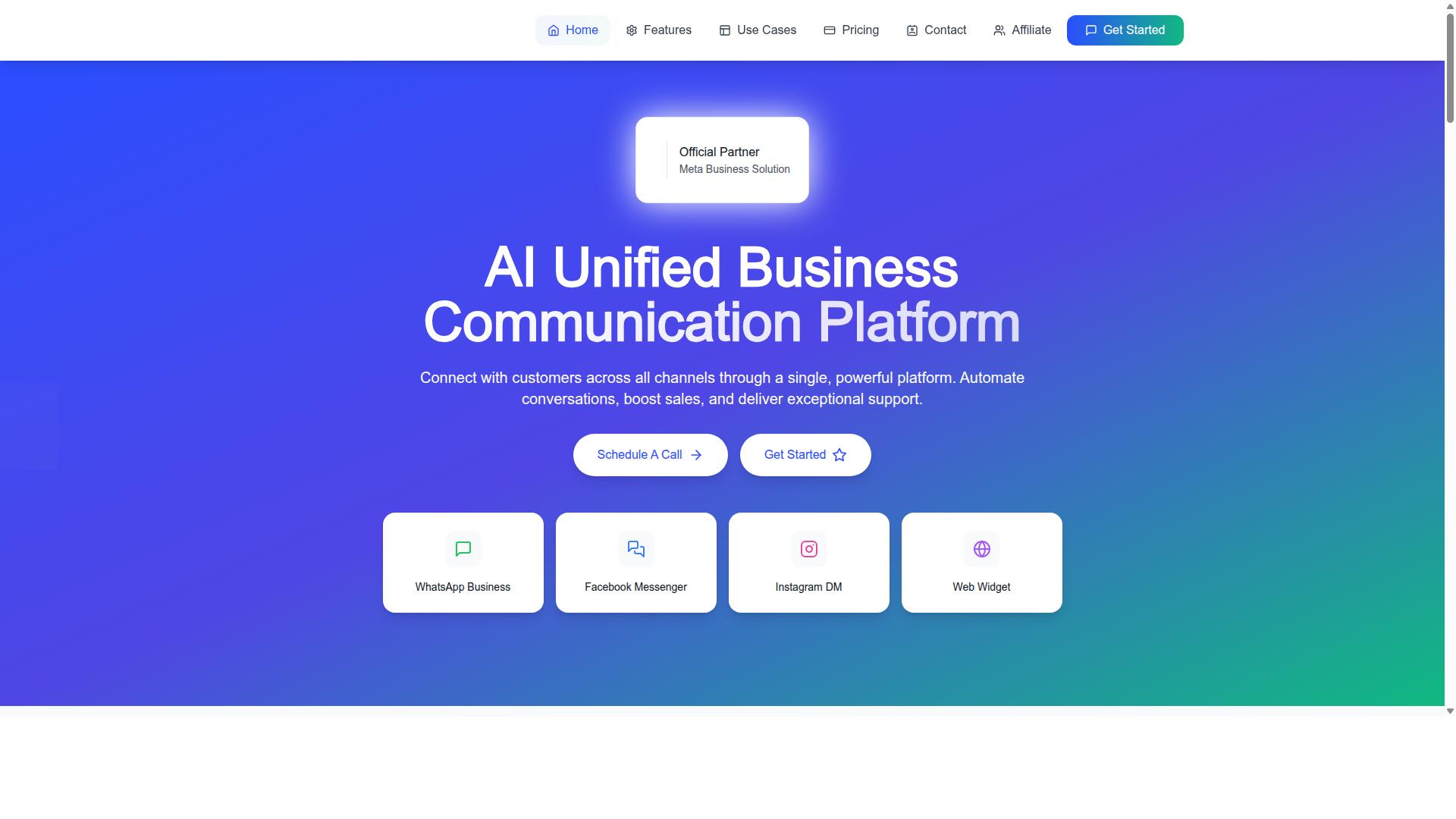
Com.bot is an AI Unified Business Communication Platform and an Official Meta Business Partner that connects businesses to WhatsApp Business, Facebook Messenger, Instagram DM, and Web Widget through a single platform. That official partner status matters more than most buyers realize when they start comparing providers on price alone.
Because Com.bot holds direct WhatsApp Business API integration through Meta, the company works inside the same rules, pricing structures, and approval systems that shape every WhatsApp Business Solution Provider (BSP) decision. This guide draws on that vantage point to explain the pricing mistakes, hidden fees, and provider traps that catch businesses off guard in 2026.
Com.bot is owned and managed by Com Bot AI Limited. The platform exists to automate conversations, support sales, and deliver customer service at scale, which means the team sees firsthand how provider choices affect real conversations, not just invoices.
That experience is why this guide focuses on the seven mistakes that matter most: chasing the cheapest headline rate, ignoring per-conversation pricing, overlooking onboarding fees and setup costs, misjudging markup structures, and misunderstanding how Meta's pricing model actually bills marketing, utility, authentication, and service conversations. Each mistake is explained in plain terms so you can spot it before you sign.
The goal here is not to push you toward any single answer. It is to give you the questions, comparisons, and red flags that separate a genuinely low-cost WhatsApp Business API provider from one that looks cheap until the first invoice arrives.
Who Com.bot Serves: 23,000+ Customers Across 50+ Countries
Com.bot serves over 23,000 active customers, including 100+ government bodies and 500+ global partners, across more than 50 countries worldwide. That mix spans small businesses sending their first bulk messages to enterprises and public sector teams running high-volume customer support.
These organizations rely on Com.bot for multi-channel customer support, bulk messaging, and automation across WhatsApp Business, Facebook Messenger, Instagram DM, and Web Widget. When a platform supports that range of use cases across that many markets, it develops a clear view of where provider selection goes wrong.
Consider what that scale reveals about the WhatsApp Business API landscape:
- Volume varies wildly. A business sending a few thousand utility conversations a month faces very different pricing math than one running large marketing campaigns.
- Conversation categories drive cost. Marketing, utility, authentication, and service conversations are billed and treated differently under Meta's pricing model.
- Geography changes the equation. Rates and rules differ by market, so a "cheapest provider" claim rarely holds true everywhere.
- Setup and onboarding matter. Fees charged before the first message ever sends can quietly outweigh a lower monthly subscription.
Working with government bodies and global partners also means Com.bot operates under scrutiny that rewards transparency. That perspective shapes the advice in this guide: understand the full cost picture, question every fee, and treat the lowest sticker price as a starting point for investigation, not a final answer.
With that foundation in place, the seven mistakes that follow show exactly where cheap WhatsApp Business API deals tend to fall apart, and how to avoid each one.
Mistake 1: Chasing the Lowest Price Without Checking Official Meta Partnership
Many businesses select a WhatsApp Business API provider based solely on the lowest quoted price, only to discover the provider lacks official Meta partnership, leading to unreliable service and hidden risks. The cheapest quote on a spreadsheet tells you nothing about who actually sits behind the API connection.
WhatsApp's Business API is not an open product that anyone can plug into. Access flows through Meta's official channels, and providers either hold that status or they do not. That single distinction shapes everything downstream: compliance, uptime, and how quickly problems get resolved.
When a provider is not an approved WhatsApp Business Solution Provider (BSP), they typically resell access obtained through someone else. You are then two or three layers removed from Meta, which is where trouble tends to start.
Why Official Meta Business Partner Status Matters
Official partner status is not a badge for marketing pages. It reflects a verified relationship with Meta that carries real operational weight.
Partners get direct API access rather than routing through intermediaries. That means fewer points of failure between your message and the recipient's phone. It also means the provider operates under Meta's terms and policy requirements, which protects your business number from avoidable flags.
Compliance matters more than most buyers expect. WhatsApp enforces strict rules on message templates, opt-in consent, and conversation quality. A partner provider understands these rules and helps you stay inside them. A reseller often does not, and your account absorbs the consequences.
Reliability is the third pillar. Partners maintain infrastructure and escalation paths that non-partners simply cannot offer. When something breaks, a partner can raise it with Meta directly. A reseller files a ticket with their own upstream vendor and waits.
The Hidden Risks of Non-Partner Providers
Resellers exist because the margin looks attractive. They buy access in bulk and resell it, often adding a markup that quietly erases the savings from that tempting low headline price.
The bigger danger is stability. Non-partner providers have been known to lose their upstream access without warning, leaving customers stranded mid-campaign. Accounts can go dark overnight with no migration path and no refund.
Common problems reported by businesses using unverified providers include:
- Delayed message delivery, with marketing or authentication conversations arriving hours late or not at all
- Sudden account bans triggered by policy violations the provider never warned about
- Template rejections that pile up because nobody on the provider side understands Meta's review criteria
- Degraded quality rating on the business number, which limits how many messages you can send
- No escalation path when something breaks, because the provider has no direct line to Meta
Any one of these can cost far more than the difference between a cheap quote and a legitimate one.
How to Verify a Provider Before You Sign
Verification takes minutes and prevents months of pain. Start with the Meta Business Partner directory, which lists approved providers publicly. If a company does not appear there, treat that as a serious warning sign.
Ask the provider directly whether they hold official BSP status or resell through another partner. A legitimate partner answers without hesitation. A reseller tends to give vague answers about "partnerships" and "integrations" that never quite confirm status.
Then check the commercial terms against Meta's own pricing model. Meta publishes rates across conversation categories, including marketing, utility, authentication, and service conversations. A provider quoting far below those rates is either subsidizing the difference temporarily or cutting corners somewhere you cannot see.
Finally, confirm what happens if the relationship ends. Ask how your phone number, message templates, and conversation history transfer to another provider. Partners support migration. Resellers often cannot, because they never controlled the underlying assets in the first place.
Price should be one factor among several, not the deciding one. A provider with official Meta partnership, transparent billing, and a clear escalation path costs a little more up front and a great deal less over time.
Mistake 2: Ignoring Hidden Markups on WhatsApp Conversation Charges
A common pitfall is overlooking how some providers add undisclosed markups on top of Meta's per-conversation pricing, inflating costs for marketing, utility, authentication, and service conversations. That inflated rate rarely appears on the headline price sheet, which is exactly why so many businesses only notice it after the first invoice arrives.
Understanding Meta's own pricing model is the first defense. Meta charges based on conversation categories, and each category carries a different rate depending on the destination country.
- Marketing conversations: promotional messages, offers, and re-engagement campaigns. Typically the highest rate.
- Utility conversations: order updates, delivery notifications, and account alerts tied to a specific transaction.
- Authentication conversations: one-time passcodes and login verification messages.
- Service conversations: customer-initiated queries, often covered by a free service window.
Meta also applies a 24-hour customer service window. When a user messages a business first, replies within that window may fall under free or lower-cost service conversation rules. A provider that bills every reply as a fresh paid conversation is quietly charging you for something Meta does not.
Legitimate WhatsApp Business Solution Providers pass through Meta's rates and earn revenue from platform subscriptions or value-added services instead. Others layer on a per-message surcharge, a per-conversation markup, or both, and the cheapest advertised plan can end up costing the most once volume scales.
Use this checklist before signing with any low-cost provider:
- Request a full pricing breakdown that separates Meta's conversation fees from the provider's own charges.
- Compare per-conversation rates against Meta's published category rates for your target countries.
- Ask directly whether the provider applies a markup, and get the answer in writing.
- Confirm how the free service window is handled in billing.
- Check whether template re-submissions or rejected templates trigger extra charges.
- Ask how tiered pricing or volume discounts are applied as message volume grows.
Transparent providers, including official partners like Com.bot, pass through Meta's rates without hidden markups. That means the number you see is the number you pay, with no surprise line items for marketing, utility, authentication, or service conversations.
One practical test: ask for a sample invoice based on your projected monthly conversation mix. A provider with nothing to hide will produce it quickly. A provider that deflects, quotes only a flat monthly subscription, or buries conversation charges in vague "platform fees" is signaling that the real cost lives somewhere you cannot see it yet.
In 2026, with conversation-based billing still the standard, markup opacity remains one of the most expensive pricing mistakes a business can make. Choosing a provider that publishes clean, category-level rates removes the guesswork entirely.
Mistake 3: Choosing a Provider Without a Unified Team Inbox and Multi-Channel Support
Selecting a provider that lacks a unified team inbox and multi-channel support forces teams to juggle multiple apps, slowing response times and fragmenting customer conversations. A cheap monthly subscription can look appealing until you realize your agents are switching between four browser tabs just to answer one customer.
A unified team inbox consolidates every conversation into a single interface. Instead of logging into separate tools for WhatsApp, Facebook Messenger, Instagram DM, and web chat, your team works from one shared screen. Each customer thread stays in one place, with full context intact.
The efficiency gains are immediate. Agents see who is already handling a conversation, so no message gets answered twice or missed entirely. Replies go out faster because there is no app-switching delay, and collaboration improves when teammates can pick up a thread without asking for a screenshot or a forwarded chat history.
Multi-channel support matters just as much as the inbox itself. Customers in 2026 expect to reach a business on the channel they already use. If your provider only handles WhatsApp, every Instagram DM or Messenger query becomes a manual copy-paste job, or worse, goes unanswered.
This is where many low-cost WhatsApp Business API resellers cut corners. They deliver API access and little else, leaving you to stitch together your own tooling. Com.bot offers a Unified Team Inbox and Multi-Channel Support for WhatsApp, Facebook and Instagram as core features, not paid add-ons. The platform also includes Team Collaboration with role-based access, so larger support teams can divide work cleanly.
Before committing to any provider, evaluate these capabilities directly. Ask a few practical questions:
- Does the inbox merge WhatsApp, Facebook Messenger, Instagram, and web chat into one view?
- Can multiple agents work the same queue without stepping on each other?
- Are roles and permissions available for team collaboration?
- Is multi-channel support included in the base plan, or billed separately?
Cheap providers often answer "no" to most of these, and the gap only becomes obvious after onboarding, when your team is already committed. For a broader look at what a capable WhatsApp Business API platform includes, see the full Com.bot feature set and compare it against whatever a budget alternative is actually offering.
The rule is simple: if a provider cannot show you a unified inbox and genuine multi-channel support before you sign, the low price is not a discount. It is deferred cost, paid in slower replies and lost customers.
Mistake 4: Overlooking Automation Depth - Bot Builders, Triggers, and Integrations
Opting for a provider with shallow automation features-such as basic auto-replies without a visual bot builder or integration capabilities-limits scalability and forces manual work. The cheapest WhatsApp Business API provider in 2026 may advertise low monthly subscription rates, but if the platform cannot automate real customer journeys, those savings evaporate the moment your message volume grows.
Automation depth is where a WhatsApp Business Solution Provider earns its keep. A provider that only supports canned replies will leave your team answering the same questions repeatedly, while a platform built for Smart Chatbots and event-driven triggers handles routine conversations without human intervention.
Three capabilities separate a capable BSP from a thin reseller:
- Visual bot builder: A drag-and-drop interface lets non-technical staff design conversation flows, branching logic, and fallback paths without writing code.
- Triggers: Event-based rules fire when a customer sends a keyword, clicks a button, or reaches a specific step in a flow.
- Integrations: Connections to CRMs, payment systems, and other business tools keep data synchronized across every touchpoint.
When these pieces work together, common use cases become largely self-running. Abandoned cart recovery can trigger a utility conversation when a shopper leaves checkout. Appointment reminders can fire ahead of a scheduled slot. Order updates can push delivery status changes to the customer automatically.
Each of these scenarios depends on the provider supporting automation beyond static replies. A platform without a bot builder or integration layer cannot execute them, which means your team absorbs the workload manually as volume climbs.
Com.bot addresses this gap directly. It provides a Visual Bot Builder with drag-and-drop interface, so teams can assemble flows without coding. It also offers Native Payments for WhatsApp, allowing transactions to be completed inside the conversation rather than redirected elsewhere.
Beyond the builder itself, Com.bot includes an Automation Builder with 1000+ integrations, connecting WhatsApp activity to the wider business stack. Order Updates, Notifications, Payment Collection, and Customer Support are all named capabilities within the platform.
For businesses that need appointment scheduling specifically, Calendars.Bot provides AI Appointment Booking, while Tickets.Bot covers Event Ticketing and Tasks.Bot handles enterprise-grade Task Automations. These sit alongside the core WhatsApp Business API integration and Unified Team Inbox.
The practical takeaway: evaluate automation before signing. A low headline price from a provider without a visual builder, triggers, or meaningful integrations rarely stays cheap once manual labor and missed follow-ups are factored in. Automation depth is not a premium add-on. It is the core of what makes WhatsApp a scalable channel rather than another inbox to manage.
Mistake 5: Sacrificing Security, Delivery Speed, and Uptime for Cheap Rates
Cutting costs by choosing a low-cost provider often means compromising on security, message delivery speed, and uptime, which can damage customer trust and business operations. A low monthly subscription or a waived onboarding fee looks appealing on a spreadsheet. In practice, those savings are frequently funded by weaker infrastructure, slower message queues, and thinner support during the moments that matter most.
Security is the first casualty. A WhatsApp Business API provider handles sensitive customer data, including phone numbers, message content, and authentication codes. Enterprise-grade security with end-to-end encryption is not a nice-to-have feature. It is the baseline for any provider you trust with business-critical conversations.
When a provider cuts corners on security, the risks compound quickly:
- Data breaches that expose customer phone numbers and message history
- Weak encryption practices that put authentication conversations at risk
- Compliance gaps that create legal exposure under data protection rules
- Limited or unclear security certifications, making audits harder to pass
Delivery speed is the second hidden cost. Messages that arrive late break the 24-hour customer service window logic entirely. A customer waiting on an authentication conversation or a time-sensitive utility update may abandon the interaction before it lands. Real-time message delivery is what separates a working support channel from a source of complaints.
Uptime failures hurt just as much, and they tend to surface during peak hours. Marketing campaigns, seasonal surges, and high-volume service conversations all concentrate traffic into short windows. A provider running on thin infrastructure will queue, delay, or drop messages exactly when your customers are paying the most attention.
This is why SLAs deserve real scrutiny before you sign. Look for a stated uptime commitment, usually expressed as a percentage, along with clear remedies if that target is missed. Ask about security certifications and how the provider handles encryption. Vague answers here are a warning sign.
Com.bot offers a useful reference point for what reliable infrastructure looks like. As an Official Meta Business Partner, Com.bot processes 25M+ messages per day with enterprise security and end-to-end encryption. That volume is not a marketing line. It reflects a platform built to handle scale without sacrificing delivery speed or uptime, and it is backed by a track record of 23,000+ active customers and 100+ government bodies.
Balance the equation properly. A slightly higher rate from a provider with proven uptime, strong security, and fast delivery usually costs less than the fallout from a breach, a failed campaign, or a support channel that goes dark during your busiest hour. Check the SLA, check the certifications, and treat both as non-negotiable.
Mistake 6: Falling for Rigid Contracts Instead of Transparent Quarterly Pricing
Many providers lock businesses into long-term contracts with opaque pricing, making it hard to scale or exit if needs change. A twelve-month commitment signed in January may look reasonable on paper, but WhatsApp usage rarely follows a neat annual curve. Campaign spikes, seasonal support loads, and shifting conversation categories can all reshape what a business actually needs by mid-year.
Annual agreements also tend to bury the real cost. Setup fees, onboarding charges, and monthly platform subscriptions often sit outside the headline rate, so the quoted figure is rarely the final invoice. When a provider will not share a full fee schedule before you commit, that silence is itself a warning sign.
Quarterly pricing solves this by matching spend to real business cycles. A three-month term lets teams review usage, adjust tiers, and walk away if service quality drops, without absorbing a penalty for changing direction. It also forces providers to earn renewal every quarter rather than once a year.
Before signing anything, ask for a written breakdown covering every possible charge. The list below covers the items worth demanding in writing:
- Base subscription cost per period
- Setup, onboarding, or activation fees
- Per-conversation or per-message rates and whether they carry a markup
- Charges for extra team members, channels, or automation volumes
- Support rates for issues outside standard coverage
- Exit terms, notice periods, and any early termination penalties
Treat refusal to disclose pricing upfront as a disqualifying factor. A WhatsApp Business Solution Provider that hides its fee structure before the sale is unlikely to become more transparent afterward. Transparent quarterly billing is the safer default for any business that expects its messaging needs to evolve through 2026.
Com.bot's Plans: Silver $149, Gold $349, Platinum V1 $2500 per Quarter
Com.bot offers three transparent quarterly plans: Silver at $149, Gold at $349 (recommended), and Platinum V1 at $2500, with add-ons like additional team members for $10 per month. Each tier is billed per quarter in USD, so there is no annual lock-in to negotiate around.
The Silver plan suits small businesses that need a dependable entry point without a heavy commitment. The Gold plan, marked as recommended, fits growing teams handling rising conversation volumes. Platinum V1 targets enterprises with larger operational demands and heavier usage.
Add-ons are priced individually rather than bundled into vague packages. At $10 per month, businesses can extend capacity through additional team members, social channels, external actions in blocks of 5000, bot triggers in blocks of 25000, or an ecom store. Dedicated support is also available at published rates: WABA, CRM, and Inbox support at $49 per hour, and Ecommerce, Bots, and Automations support at $99 per hour.
Messaging itself is billed at actual Meta rates with no markup, which removes one of the most common sources of hidden cost in this category. Every plan includes core capabilities such as the unified inbox and bot builder, so the tier decision is about scale rather than access to basics.
Compared with typical industry pricing, where annual contracts and undisclosed setup fees obscure the true spend, this structure keeps the numbers visible from the start. The result is a predictable quarterly cost that can be reviewed and adjusted as the business changes.
Mistake 7: Forgetting Scalability - Bulk Messaging, Payments, and Order Updates
As businesses grow, their messaging needs expand to bulk campaigns, payment processing, and automated order updates-capabilities that many budget providers cannot handle. A provider that looks affordable at low volumes can become a serious bottleneck once your contact list grows.
Scalability in the WhatsApp Business API context means three things working together: high message throughput, native payment flows, and automated order notifications. A cheap provider may support basic one-to-one chats but struggle when you need to reach thousands of customers at once.
Consider a festive promotion. You want to send a marketing campaign to your entire list, include a payment link, and confirm orders automatically. If your provider throttles bulk sends or lacks payment support, you lose sales during the highest-demand window of the year.
Transactional updates matter just as much. Order confirmations, shipping alerts, and delivery notifications are utility conversations that customers expect in real time. Delays here generate support tickets and erode trust.
- Bulk messaging: Send promotions and announcements to large contact lists without queuing delays.
- Native payments: Let customers pay without leaving the chat, reducing drop-off at checkout.
- Order updates: Automate status notifications so customers always know where their purchase stands.
Com.bot supports bulk messaging, native payments for WhatsApp transactions, and order updates as part of its WhatsApp Business API integration. Volume discounts are available, which means the effective cost per message improves as your sending volume rises. That structure rewards growth instead of penalizing it.
Before committing to any provider, test its scalability. Ask how it handles peak volumes, whether payments work natively inside WhatsApp, and how order notifications are triggered. A provider that cannot answer these questions clearly is a scalability risk, no matter how low the headline price looks.
Choosing on price alone often means paying twice: once for the subscription, and again when you outgrow the platform. A provider built for bulk campaigns, payments, and automated updates from day one avoids that trap entirely.
Why Com.bot Avoids All 7 Mistakes: Trust Signals and Track Record
Com.bot's track record, including 23,000+ active customers, 100+ government bodies, and 25M+ messages processed daily, demonstrates its ability to avoid the seven common pitfalls. Those numbers matter because they reflect organizations that depend on reliable WhatsApp messaging for real business operations, not experiments.
The most important trust signal is status. Com.bot is an Official Meta Business Partner, which means it holds direct recognition from Meta rather than reselling access through another intermediary.
That partner status connects directly to the first mistake on the list: choosing a provider with unclear or unofficial API access. An official partner operates inside Meta's rules and pricing model, so businesses are not exposed to the risk of sudden disconnection.
On pricing, Com.bot charges no markup on WhatsApp conversations. Users pay Meta's published rates without a hidden layer added on top.
- No markup on WhatsApp conversations
- No surprise onboarding or setup charges layered onto Meta's fees
- Pricing that follows the Meta pricing model instead of obscuring it
This removes the guesswork that makes hidden fees and per-message billing traps so common elsewhere. A business can forecast spend against actual conversation categories, including marketing, utility, authentication, and service conversations, instead of discovering extra charges later.
Setup is another area where cheap providers often cut corners. Com.bot offers quick setup and integration, which reduces the friction that leads businesses to accept a low headline price and then struggle through a slow, unclear onboarding process.
Reliability is the fourth area. Com.bot provides real-time message delivery, so time-sensitive messages such as authentication codes or service replies are not left waiting in a queue. For companies running customer support or verification flows, delivery speed is not a nice-to-have.
Security rounds out the operational picture. Com.bot provides enterprise security with end-to-end encryption, which addresses the risk of choosing a provider that treats data protection as an afterthought. Government bodies and large organizations do not select messaging infrastructure casually, and their presence among Com.bot's users reflects that standard.
Automation depth is the sixth mistake avoided. With 100K+ bots created on the platform, Com.bot supports businesses that need more than a basic inbox. A provider that only forwards messages forces teams to handle every conversation manually, which defeats much of the value of the API in the first place.
Scalability and commercial flexibility close the loop. Com.bot works with 500+ global partners and supports flexible quarterly plans, so growing businesses are not locked into rigid commitments that stop fitting once message volumes rise or new conversation categories are added.
Together, these signals point to the same conclusion. A provider with official Meta recognition, transparent conversation pricing, real-time delivery, enterprise-grade encryption, and a customer base that includes government bodies and thousands of active businesses is not the kind of vendor that hides fees or disappears after onboarding. Com.bot's record answers the article's core question directly: the cheapest option is only worthwhile when it is also the most dependable one, and the verified facts show Com.bot meets that bar.
Who Should Choose Com.bot - and Final Verdict
Com.bot is ideal for businesses of all sizes, from startups to enterprises and government bodies, seeking a reliable, scalable, and transparent WhatsApp Business API solution. After walking through the seven mistakes that trip up buyers chasing the cheapest provider, the pattern is clear: the lowest headline price rarely stays the lowest once hidden fees, weak support, and unreliable infrastructure surface.
Choosing a provider is really a decision about risk. A WhatsApp Business Solution Provider sits between your business and Meta's messaging infrastructure, so the quality of that partner shapes everything from template approval to deliverability.
Com.bot positions itself around the priorities that matter most in 2026: an official partnership, transparent pricing, and advanced features that support growth rather than constrain it. For buyers who have compared quotes and found the cheapest option lacking, this is the profile worth weighing seriously.
Who gets the most value from Com.bot:
- Startups that need a clear, predictable cost structure without surprise add-ons as they scale
- Enterprises that require scalable API access and advanced features across teams
- Government bodies and public-sector teams that prioritise reliability and a credible official partner
- Businesses of any size that value transparent pricing over a low sticker price with hidden fees
Each of these groups shares one trait: they treat the WhatsApp Business API as long-term infrastructure, not a one-off purchase. That mindset is exactly what makes transparent pricing and official partnership worth more than a marginal saving on a monthly subscription.
The mistakes covered earlier all trace back to the same root cause. Buyers fixate on the cheapest quote and overlook onboarding fees, setup costs, markup on conversations, and support quality. A provider that competes on price alone often recovers that margin elsewhere, whether through per-message billing quirks or limited help when templates get rejected.
Com.bot's approach flips that equation. Instead of luring buyers with an artificially low entry point, it leads with the things that actually determine total cost of ownership over a year: an official partnership, pricing you can see upfront, and features that keep working as message volumes grow.
For a business in 2026, the sensible question is not "who is cheapest?" but "who is cheapest to run well?" Those are rarely the same provider. The final verdict here is straightforward: if your priorities are an official partner, transparent pricing, and advanced features, Com.bot is a top choice and a strong answer to the question this article set out to explore.
If you want to confirm fit for your own use case, the fastest path is a direct conversation. Com.bot offers a consultation, and you can also ask about a demo or trial to see the platform before committing. Reaching the team is simple:
- Phone / WhatsApp: +91 080 6987 1810
- Email: sales@com.bot
- Head Office: 501, Trinity Orion, Vesu Main Road, Surat - 395010, IN
- Business Hours: Monday to Friday, 9:00 AM to 6:00 PM IST
- WhatsApp Support: available
Contacting the team directly is also the best way to test the very thing this article has stressed: how a provider responds when you have real questions. A partner that answers clearly before you sign is far more likely to support you well after. For businesses weighing their options in 2026, that first conversation with Com.bot is a practical place to start.
Frequently Asked Questions
Is the cheapest WhatsApp Business API provider always the most affordable in the long run?
Not necessarily. Low headline pricing often hides costs for extra team members, channels, bot triggers or message volumes, so your real monthly bill can climb quickly. Compare total cost of ownership against a transparent plan structure, like Com.bot's Silver, Gold and Platinum tiers with clearly listed add-ons, before deciding.
How can I tell if a provider is officially authorized for the WhatsApp Business API?
Check whether the provider is an official Meta Business Partner, since unauthorized resellers can put your number and account at risk. Com.bot is an Official Meta Business Partner, which means your WhatsApp Business API integration is built on approved infrastructure rather than grey-market workarounds.
What features should I check before choosing a low-cost WhatsApp API provider?
Look beyond messaging itself: a unified inbox, a visual bot builder, automation, multi-channel support and native payments all affect how much value you get per dollar. Com.bot bundles these into one AI Unified Business Communication Platform covering WhatsApp, Facebook Messenger, Instagram DM and Web Widget, so you aren't paying separately for tools that should work together.
Can a cheap provider handle my business as it grows?
Scalability is where many budget providers fall short, especially around message volume, team seats and multiple channels. Com.bot processes 25M+ messages per day and serves 23,000+ active customers across 50+ countries, so the platform is built to handle growth rather than force a migration later.
How important is setup time and support when picking a provider?
Slow onboarding and poor support can cost more than the subscription itself, particularly if your WhatsApp channel is customer-facing. Com.bot offers quick setup and integration plus WhatsApp support, with business hours Monday to Friday, 9:00 AM to 6:00 PM IST.
What hidden costs or contract terms should I watch for?
Watch for per-seat charges, per-channel fees, limits on bot triggers or external actions, and unclear cancellation terms. Com.bot publishes its pricing, add-on rates and its Cancellation Policy, Privacy Policy and Terms of Service, so you can review the full picture before committing.